INTEGRATIONS
Your tools. One conversation.
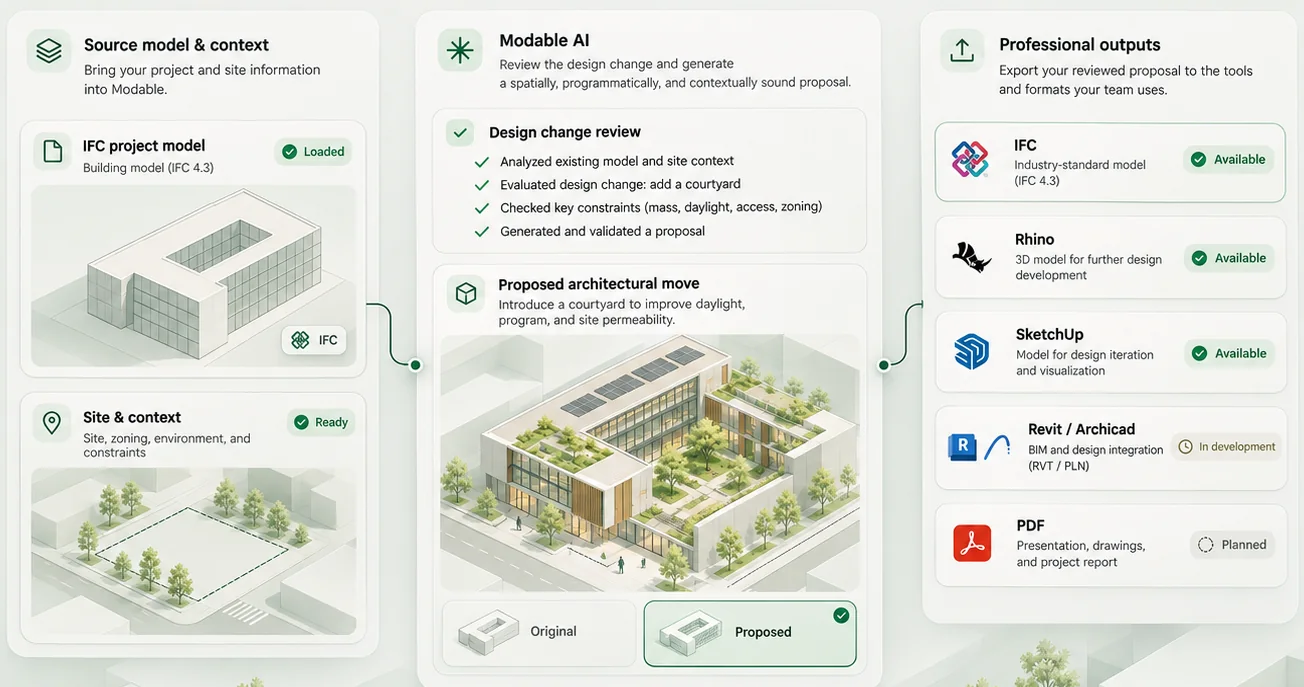
Modable's architecture connects project understanding and visual review with the software you already use. Each connection must be implemented, authorized and tested.
These are integration directions, not active third-party connections. Availability is shown in Studio when verified; this page never requests CAD or BIM authorization.
Rhino
Model review, structured geometry and a permissioned authoring workflow.
Explore workflow PlannedCONCEPT MODELLINGSketchUp
Carry an architectural concept between visual review and a native modelling workflow.
Explore workflow Under explorationBIMRevit
Structured BIM exchange and reviewed model changes require a supported connector.
Explore workflow Under explorationBIMArchicad
A future connection to architectural BIM models, metadata and documentation.
Explore workflow Coverage dependentSITE CONTEXTGeospatial data
Site information depends on location, data permissions and verified coverage.
Explore workflow Under explorationPROJECT ASSETSCloud storage
Organize authorised files and project references without inventing file access.
Explore workflowHOW IT WORKS
Keep your design tools.
Describe what you want to accomplish, review the proposed workflow and choose a compatible integration when one is actually available. Modable does not claim to modify a native BIM or CAD file until the underlying connector confirms it.
Understand the platformA more connected architectural workflow.
Join early access and learn when Modable is ready for new architects.
“Help me explore the possibilities for my next architectural project.”